Capturing Real-Time Data and Real-Time Reporting in Microsoft Fabric


The IoT Engagement
Microsoft Fabric is rapidly becoming a leading platform for real-time analytics, IoT data ingestion, and enterprise reporting. In this blog, we explore how Telefónica Tech designed a scalable real-time IoT analytics solution in Microsoft Fabric using Azure IoT Hub, Fabric Eventstream, Eventhouse, Lakehouse, and Power BI.
During one of the latest IOT engagements, Telefonica Tech (TT) had to define a scalable ingestion pattern for real-time IoT data in Microsoft Fabric. With support from the client team, the TT Data Consultants had to identify current IoT data sources, connectivity options, telemetry structures, and existing constraints within Microsoft Azure and Microsoft Fabric.
Microsoft Fabric Real-Tune IOT Architecture
The TT Team presented this high-level logical model to the client stakeholders during the playback meeting:
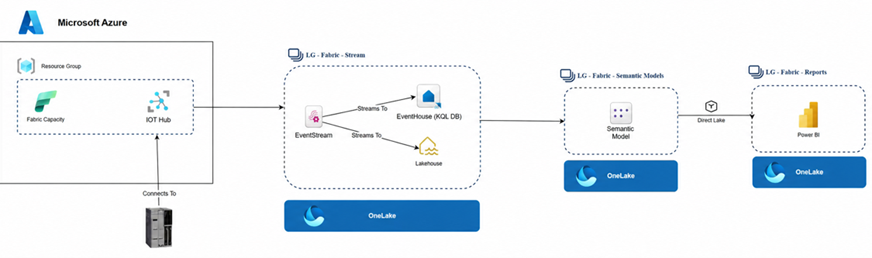
At a high level, this model shows the process of capturing telemetry data from IoT devices, processing it in real time, and surfacing insights immediately through semantic models and Power BI reporting. The architecture demonstrates how operational data flows from edge devices into a scalable cloud-native analytics platform capable of supporting both streaming analytics and self-service reporting in Microsoft Fabric.
How IoT Devices Communicate with Azure IoT Hub
The solution begins with industrial IoT devices sending telemetry data into Azure IoT Hub within Microsoft Azure.
Before discussing device connectivity, it is important to define the role of Azure IoT Hub. Azure IoT Hub is a cloud service platform that acts as a central message hub, and it is designed for IoT device connectivity and management. It allows devices to send telemetry to the cloud, which can be processed and stored for operational purposes. IoT Hub itself can send commands or configuration changes to devices and in this way, it enables remote control and automation for operational teams and device managers. Speaking about device managers, the Device Manager provides the connection string of the respective IoT device and connects the device to the IoT Hub.
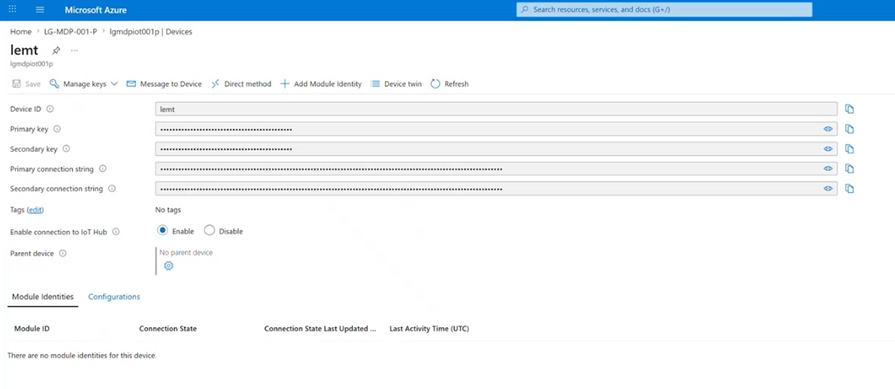
The IoT device should use the same Transport Layer Security (TLS) as the IoT Hub. There could be potential connectivity errors and a failure in the communication with the IoT Hub if the device supports TLS 1.0, while the currently supported TLS level of the IoT Hub is 1.2 – Azure IoT Hub TLS support | Microsoft Learn
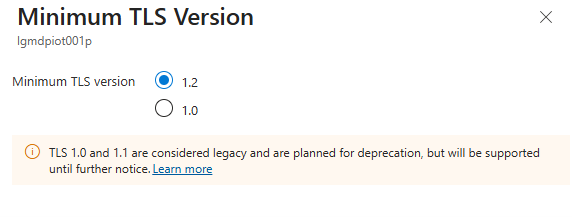
If this is the case, the Device Manager needs to perform a firmware update of the device, which would upgrade the version from TLS 1.0 to TLS 1.2.
To test the connectivity of the device with the IoT hub, the device needs to send a message or an event to the IoT Hub, which needs to be received successfully. IoT devices publish telemetry messages to Azure IoT Hub using protocols like MQTT, AMQP and HTTPS.
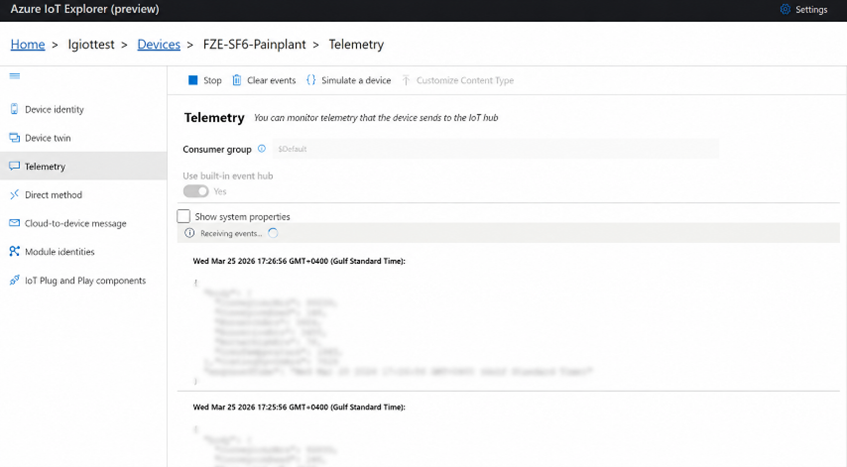
How Microsoft Fabric Eventstream Connects to Azure IoT Hub
Before discussing how Microsoft Fabric Eventstream communicates with Azure IoT Hub, let us first define the purpose of Microsoft Fabric Eventstream.
As a feature in Microsoft Fabric, Fabric Eventstream is used for ingesting, processing and routing real-time data from multiple streaming sources to various destinations like Eventhouse and Lakehouse. Having defined Microsoft Fabric Eventstream, the way it connects to Azure IoT Hub is through the IoT Hub’s Event Hubs-compatible endpoint using SAS authentication and consumer groups to continuously consume telemetry events in real time.
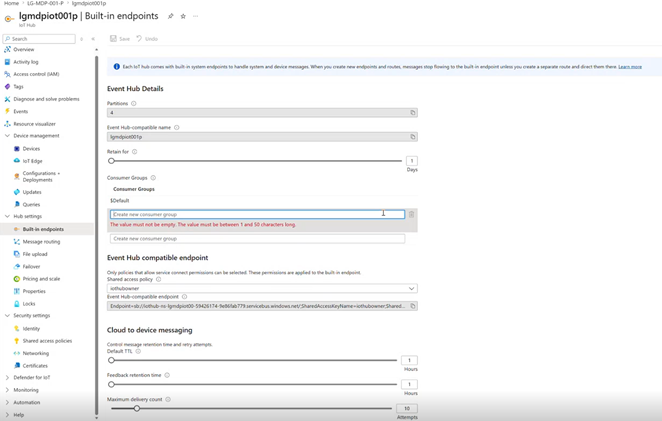
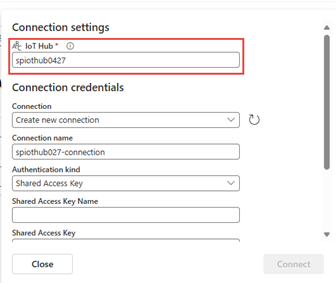
Microsoft Fabric Eventstream connects to this endpoint as a consumer. This is why Eventstream configuration requires Shared Access Key Name, Shared Access Key and Consumer Group. These are standard Event Hub concepts. This is the way we configure an Azure IoT Hub connection from Fabric. Fabric Eventstream has a native connector to Azure IoT Hub.
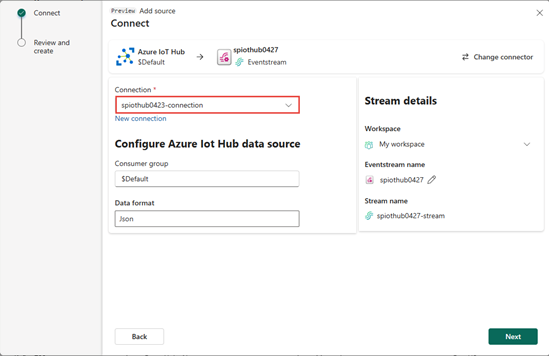
First, we specify the IoT connection, the Consumer group and the Data format, and then we define the Authentication kind and the details of it.
The IoT Solution
After successfully connecting the IoT devices to Azure IoT Hub and Fabric Eventstream to it, we can successfully capture and stream the real-time data into Microsoft Fabric.
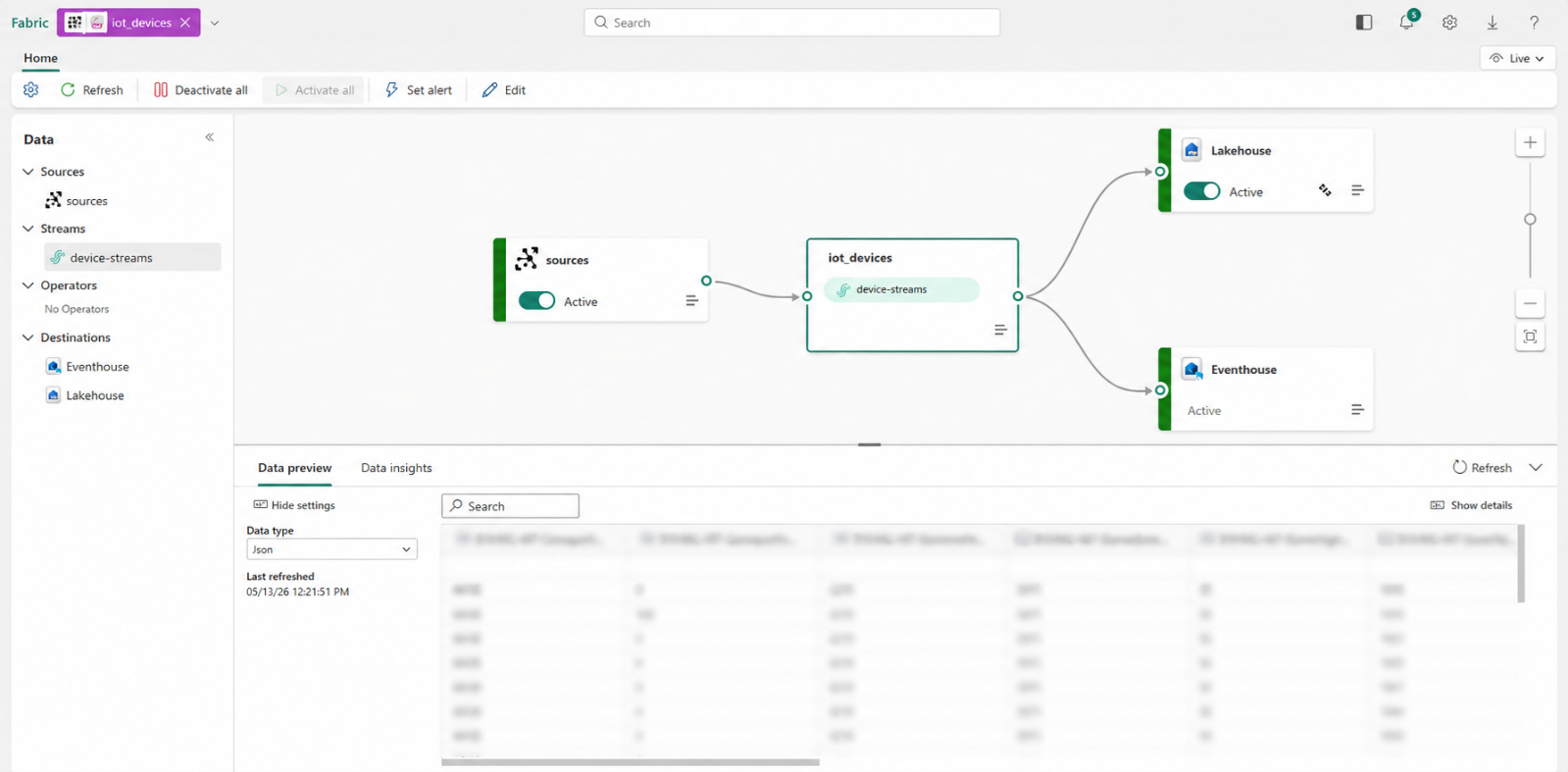
The data stream we are capturing from the IoT devices has been split into two streams of data that are populating:
- Microsoft Fabric Lakehouse
- Microsoft Fabric Eventhouse
This architecture enabled both near real-time analytics and true real-time streaming analytics.
Near Real-Time Data in Microsoft Fabric Lakehouse
When Microsoft Fabric Eventstream writes data into a Microsoft Fabric Lakehouse, the behaviour is generally considered near real-time.
The reason for that is the fact that Fabric Lakehouse is a parquet/delta-based storage, optimised for historical analytics, BI workloads, ML and large-scale storage. Microsoft Fabric Lakehouse is not a streaming-native query engine. Therefore, when Microsoft Fabric Eventstream writes data to Fabric Lakehouse – events are micro-batched, data is committed periodically, parquet/delta files are updated and metadata is refreshed. This introduces slight latency, which is often:
| Scenario | Typical Delay |
| Light workload | ~5–30 seconds |
| Moderate workload | ~30–90 seconds |
| Heavy/high-throughput workload | 1–5 minutes |
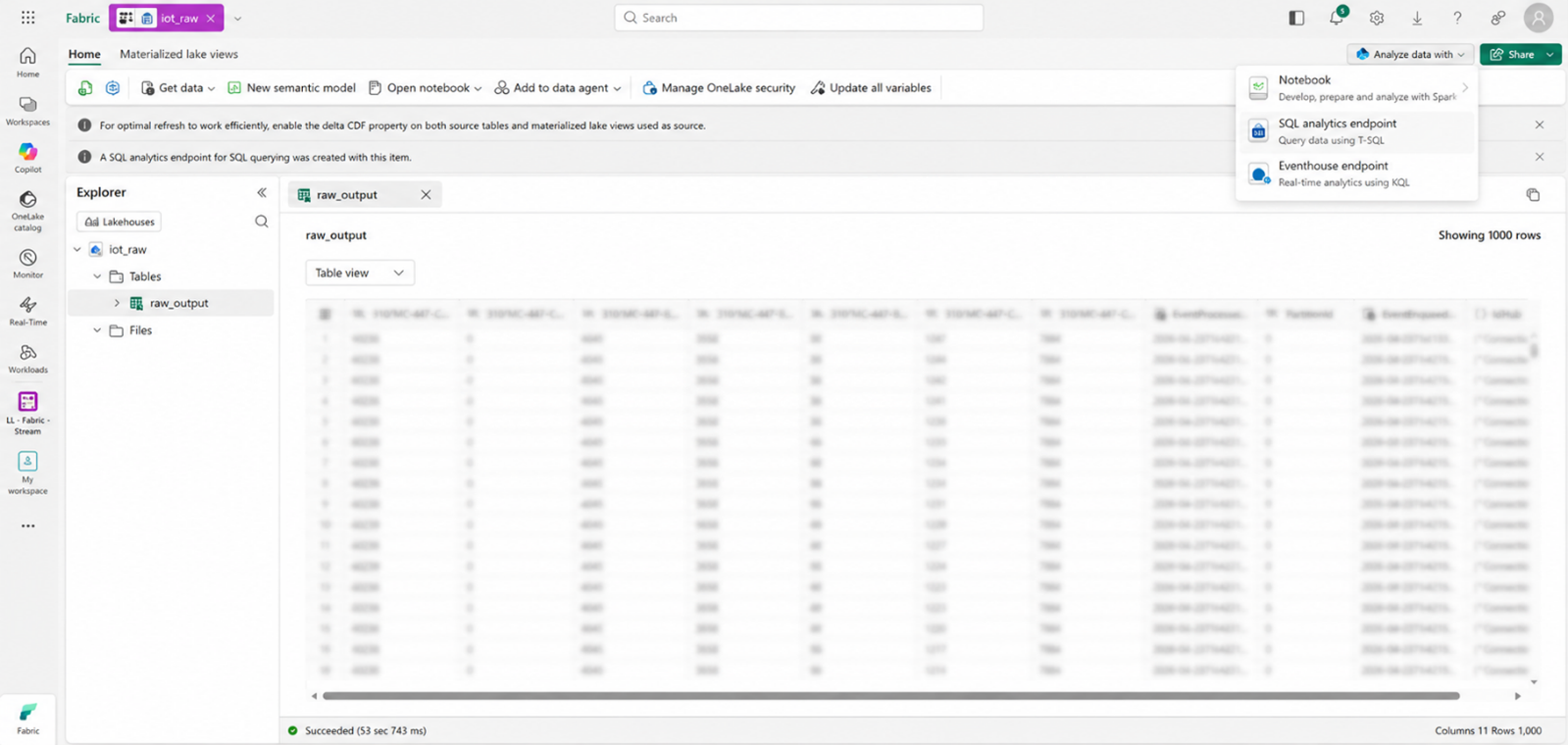
This is the blurred data in the Lakehouse when we display the first 1000 rows and we can query it using the SQL analytics endpoint.
Real-Time Data Streaming in Microsoft Fabric Eventhouse
When Microsoft Fabric Eventstream writes data into a Fabric Eventhouse, then this time the behaviour is generally considered real-time. Since Microsoft Eventhouse is a streaming-native engine, and time-series analytics platform, it does not need parquet micro-batching, delta commits and file optimisation cycles. The incoming data is streamed directly into ingestion buffers, indexed rapidly and made queryable almost immediately. In most Fabric IoT scenarios we have IoT Device → IoT Hub → Eventstream → Eventhouse, which is queryable in seconds. If there is some latency, it is 1-2 seconds under light load and 3-5 seconds under moderate load.
Using KQL Database for Real-Time Analytics in Microsoft Fabric Eventhouse
When we create a Microsoft Fabric Eventhouse, it gets deployed into the platform with a built-in KQL Database inside it. The KQL Database is the place where tables live, streaming events are stored, KQL queries execute and retention policies are applied. The KQL Database is where real-time analytics happens.
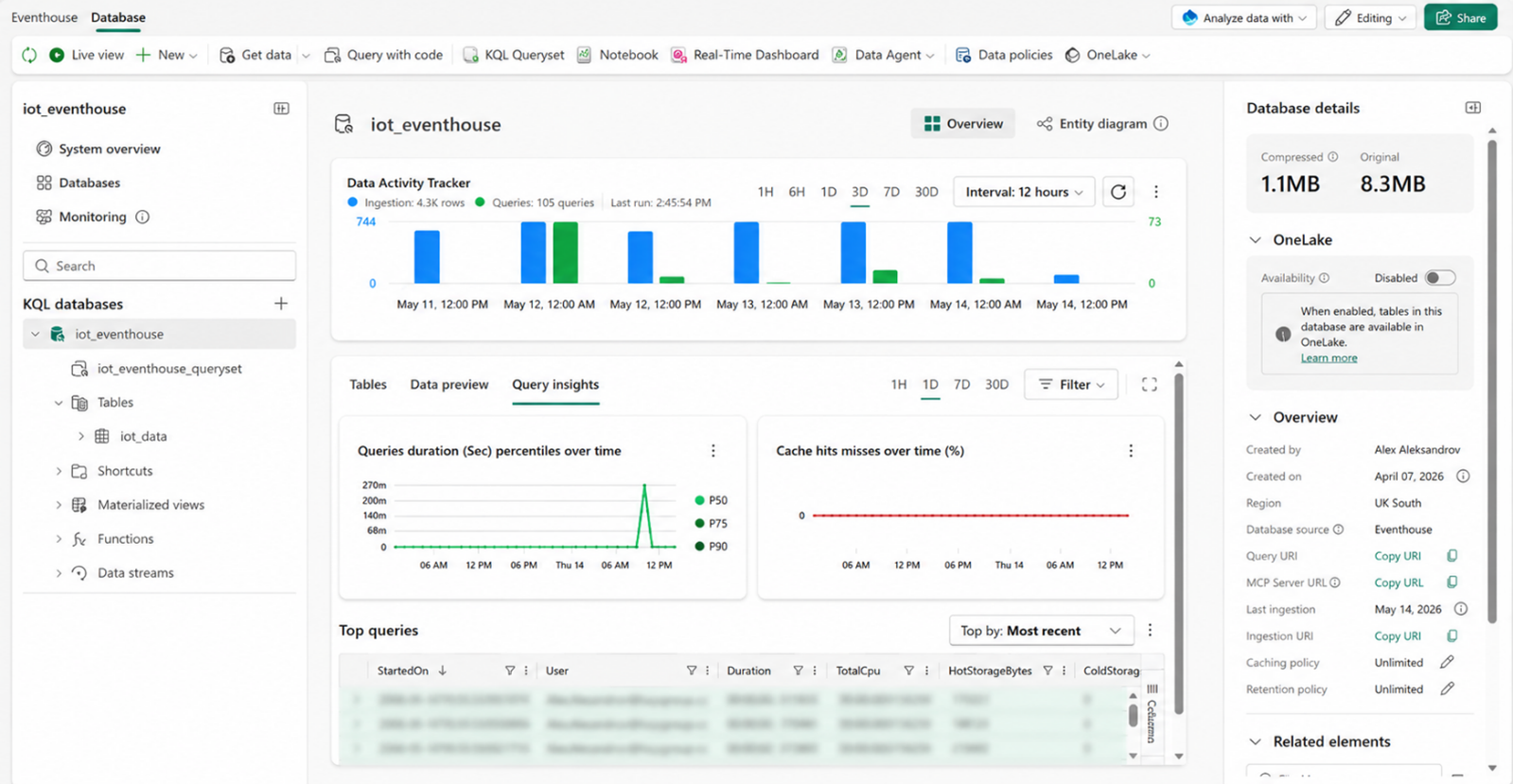
A good way to explain the relationship between the two is: the Eventhouse is the container/platform for real-time analytics, while the KQL Database is the actual database engine inside it where the streaming data is stored and queried. As a simple analogy, think of the Eventhouse as the SQL Server instance and the KQL Database as the individual database. The KQL Database can be queried in both KQL and SQL, thus making it comfortable for users to choose their preferred programming language.
Real-Time Reporting and Dashboard in Microsoft Fabric
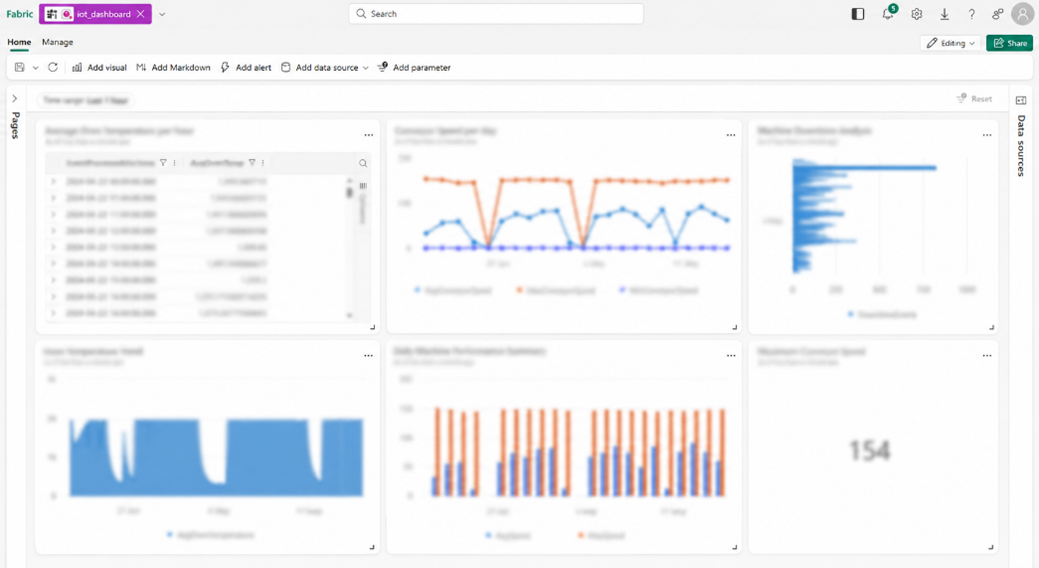
When the streaming data successfully lands in the KQL Database, we can create an IoT Dashboard directly in Microsoft Fabric by getting the data from the KQL Database, running queries and displaying the results as visuals.
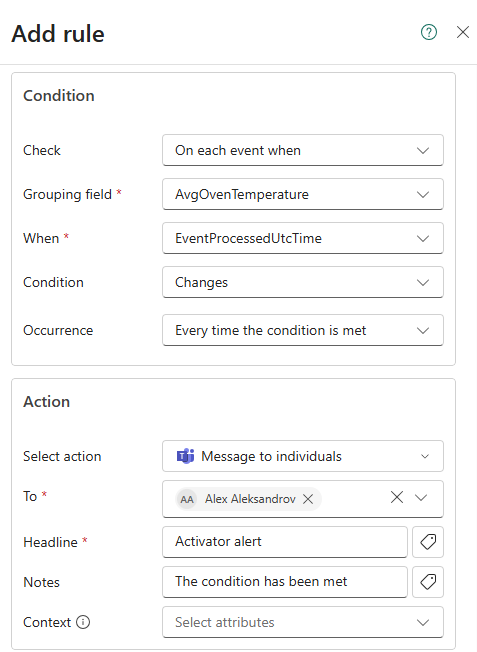
We can also set up alerts that could send us a notification when a certain threshold has been exceeded.
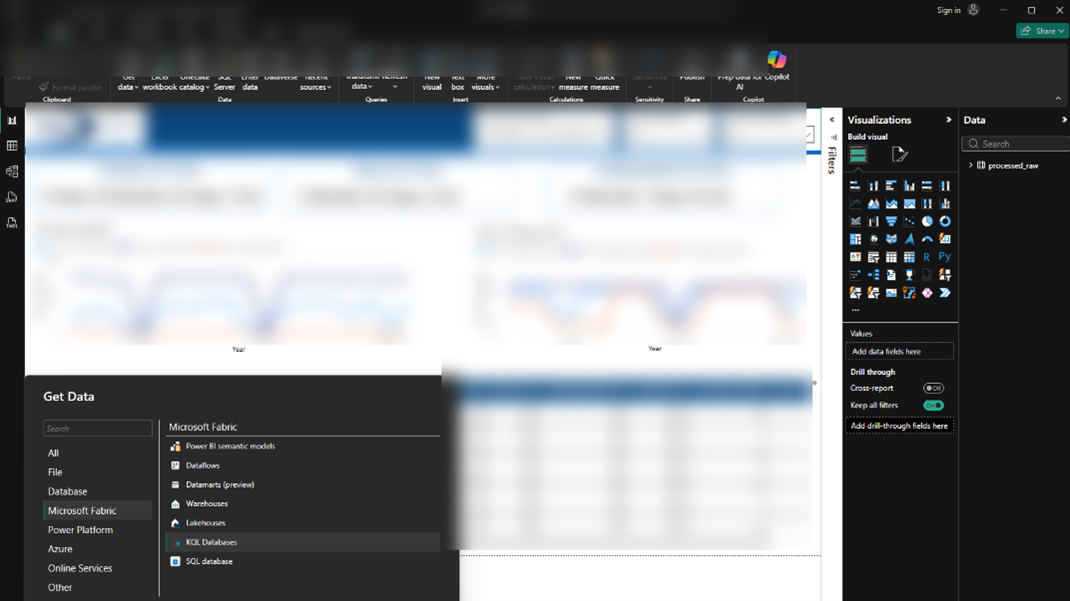
In Power BI, we can connect to the KQL Database as well, transform the data and prepare insightful reports for the stakeholders.
Conclusion
Overall, Microsoft Fabric provides a modern, scalable, and efficient platform for capturing, processing, and reporting real-time IoT data using a predominantly low-code and no-code approach.
Through the integration of Azure IoT Hub, Fabric Eventstream, Lakehouse, Eventhouse, and KQL Database capabilities, the client can establish an end-to-end real-time analytics architecture capable of supporting both operational monitoring and long-term analytical workloads.
This architecture demonstrates how Microsoft Fabric enables organisations to build scalable real-time IoT analytics platforms that combine streaming analytics, operational monitoring, and enterprise reporting within a unified SaaS environment.
Frequently Asked Questions
What is Microsoft Fabric Eventstream?
Microsoft Fabric Eventstream is a real-time data ingestion and routing capability used to process streaming data from sources such as Azure IoT Hub.
What is the difference between Eventhouse and Lakehouse in Microsoft Fabric?
Eventhouse is optimised for real-time streaming analytics and low-latency querying, while Lakehouse is designed for historical analytics and large-scale BI workloads.
Can Microsoft Fabric support real-time IoT analytics?
Yes. Microsoft Fabric supports real-time IoT analytics through Azure IoT Hub integration, Eventstream, Eventhouse, KQL Database, and Power BI dashboards.
Why use Microsoft Fabric for IoT reporting?
Microsoft Fabric provides an integrated SaaS platform that combines real-time analytics, data engineering, streaming ingestion, and Power BI reporting within a single environment.