
Power BI Update July 2025


Power BI Update: July 2025
Microsoft released the latest Power BI update on the 15 July, the full details can be found on the Power BI blog. Here are a few things that caught my eye.
Copilot
As there is every month, currently there are some updates to the Copilot experience. I’m pleased to see the “Limit Copilot search to prepped content” option as the idea of allowing Copilot to respond based on every model in the tenant can be a scary thought. The ability to start to deploy it based on models that have been reviewed and prepared for it will hopefully allow more organisations to trial it.
Organisational Themes
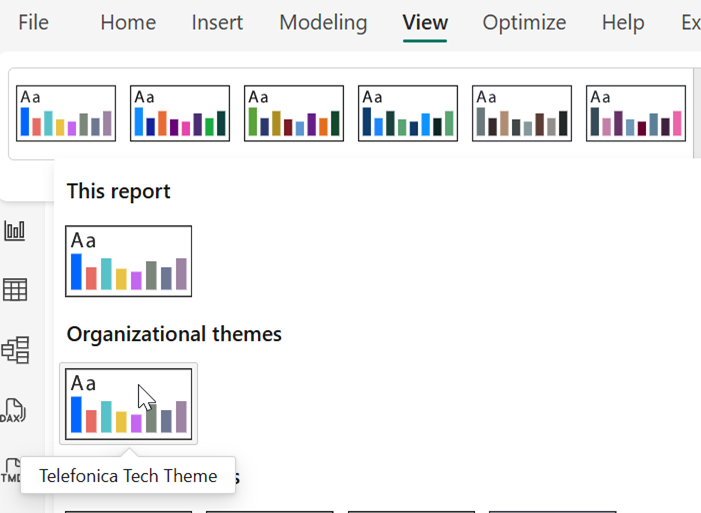
Allows organisations to upload and share themes with desktop and service users. Themes are a great way to help create a consistent brand for your organisations Power BI reports and this makes sharing them with report developers much easier. They also help with accessibility by allowing you to distribute a theme whose colour palette has been checked for accessibility.
The themes are easy to set up but require a tenant admin to do it.

Once set up and the theme gallery is enabled, they can be accessed via the desktop.
Field Parameters
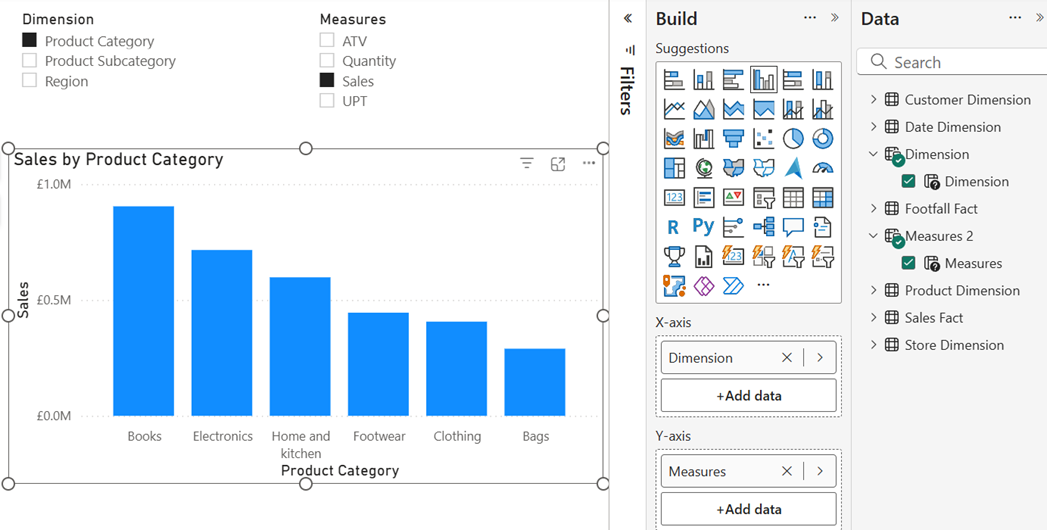
I’m pleased to see that Field Parameters have entered General Availability as they are an incredibly useful feature that some Power BI developers have not used as they have been in preview. Field Parameters allow the quick set up of a list of fields or measures that can be included in slicers and visuals to allow users to easily and dynamically swap the values in the axis and the metrics in the visual. If you find yourself using a lot of Bookmarks to allow users to swap between different dimensions and measures this might be an alternative.
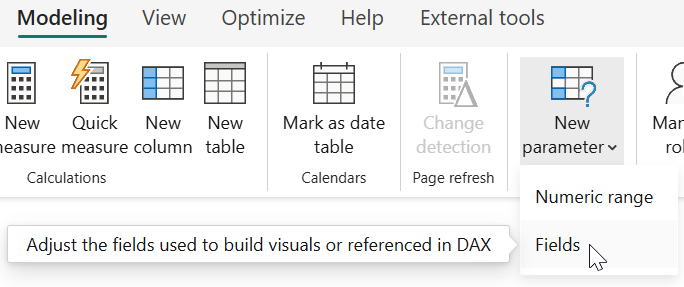
To create a field parameter, go to the Modelling section of the ribbon, select “New Parameter” and “Fields”
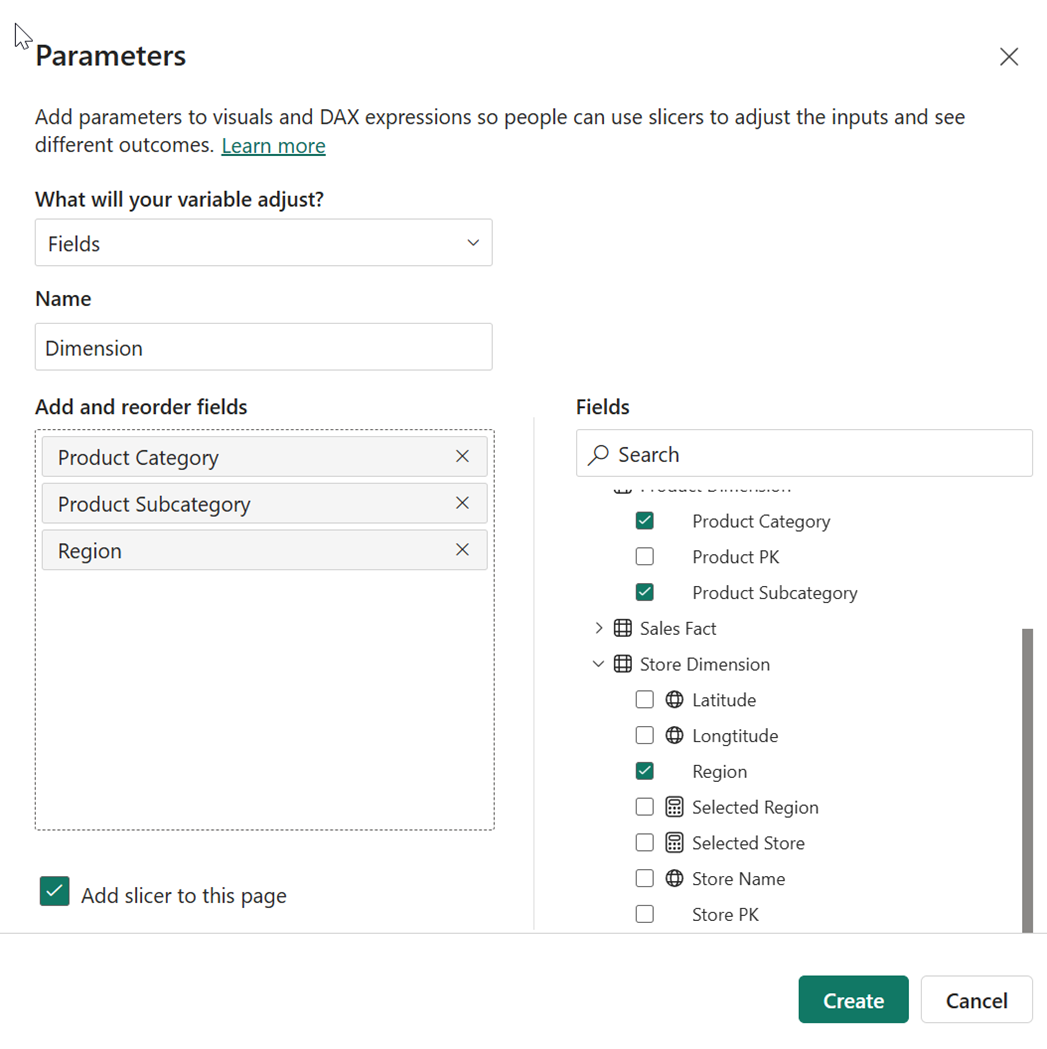
Then use the interface to select the fields or measures you want in the field parameter.
You can then use the parameters in slicers and in chart axis, to allow users to swap between the values.
Power BI Enhanced Report Format (PBIR)
There have been some updates to the PBIR format to remove some of the limitations. This announcement also contained “With these key capabilities now in place, PBIR is officially on the path to General Availability – alongside the broader Power BI Project (PBIP) file format, also known as developer mode.”
This is great news, as the PBIP file format makes source control and collaboration much easier, but some organisations have been wary about adopting something that is still a preview feature.
It is Power BI's 10th Birthday
Power BI is having its 10th birthday; this means events to celebrate and a new loading screen in the desktop with the various logos from the ten years. It is also a great opportunity to review your implementation of Power BI and make sure you are following current best practices and making optimum use of it. It is chance to look at your roadmap and develop a plan for the future.
Over the last decade Power BI has changed a lot from the product that was originally launched. It has moved from a tool mainly aimed at self-service users to one that supports enterprise and self-service use cases. The options available and the best practices for Power BI has evolved over this time and the anniversary represents an opportunity to review your implementation and develop a roadmap for the future. Telefónica Tech have a proven approach for this that we have used with multiple organisations.